Escrow contracts
Escrow contracts are no longer available in current versions of Zano. The Contracts tab has been removed from the wallet, and escrow transactions are not supported under the current protocol rules (they predate the Zarcanum hard fork's transaction format). This page is kept for historical reference.
Zano provided a framework for secure and private transactions without the need for a trusted third party. The Escrow system required participants to make additional deposits, which they would forfeit on any attempt to act maliciously toward their counterparty. For more information please refer to the "Escrow" section of the whitepaper.
The sections below describe how the feature worked in pre-Zarcanum wallets.
Proposal
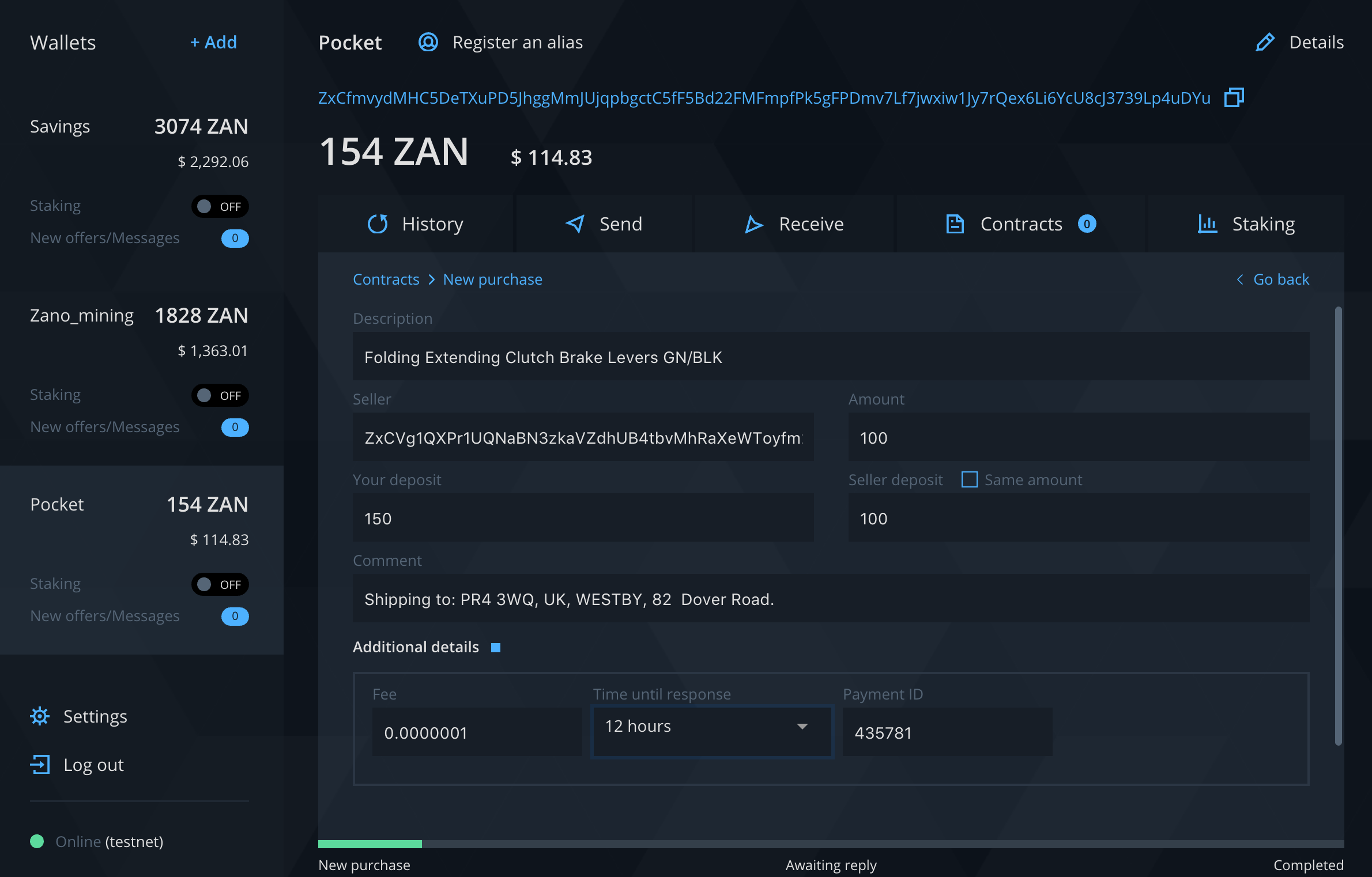
Each escrow contract started with a buyer proposal. Once it was sent, the deposit amount was locked for a Time until response period. If the seller accepted the terms during that period, the escrow contract was activated. The process was initiated from the wallet's Contracts tab by choosing New Purchase. Proposal details were the following.
- Description - title or description for contract subject
- Seller - wallet address of merchant or seller
- Amount - payment amount for goods or services
- Your deposit - sum of collateral and payment amount
- Seller deposit - collateral from seller required by buyer
- Comment - additional information like order ID, delivery address, etc.
- Fee - transaction fee amount
- Time until response - proposal expiration time
- Payment ID - transaction payment identifier provided by seller
Confirmation
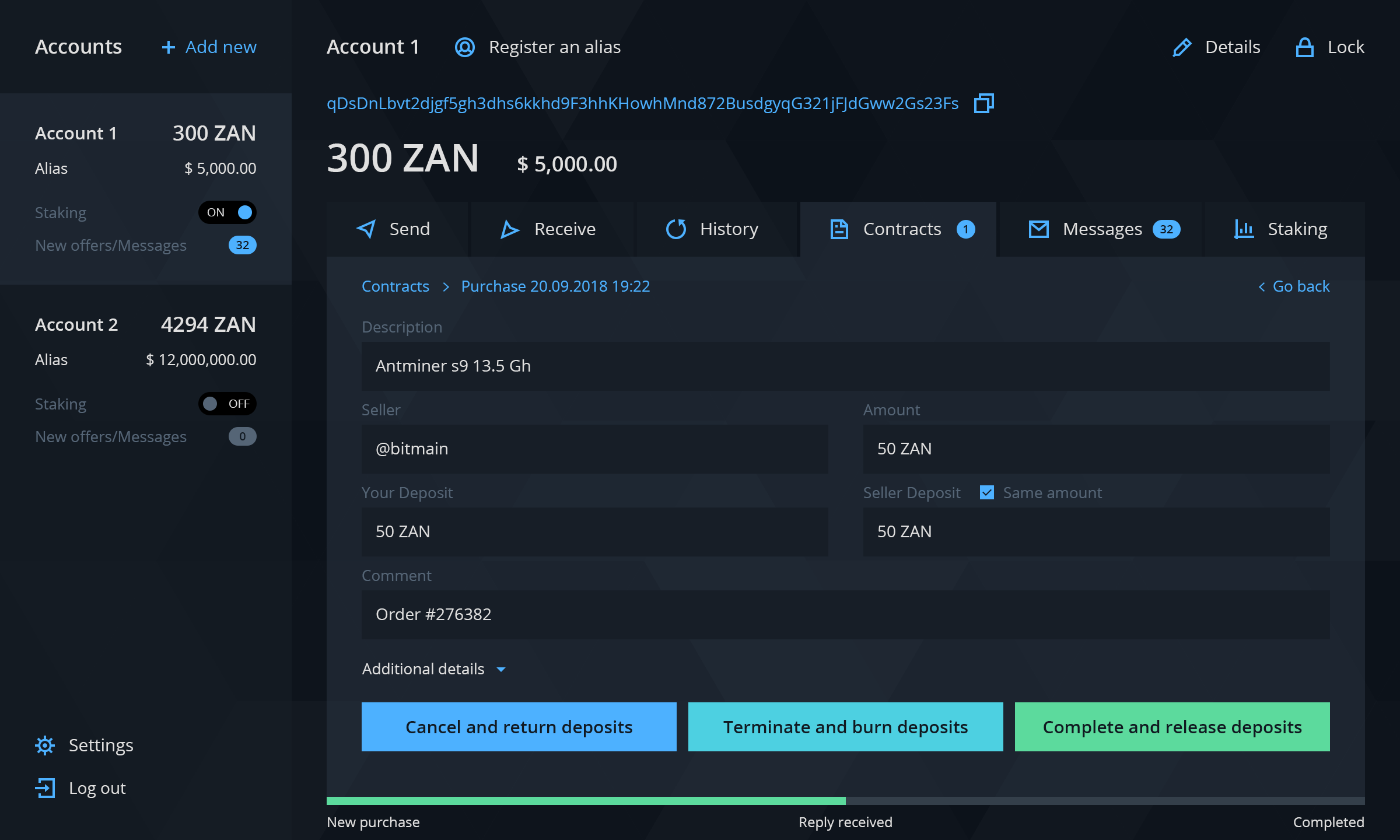
When the seller accepted the proposal, a special multisignature transaction was sent to the blockchain. After 10 confirmations the contract started, and the seller could fulfil the contract terms, such as shipping the item to the buyer.
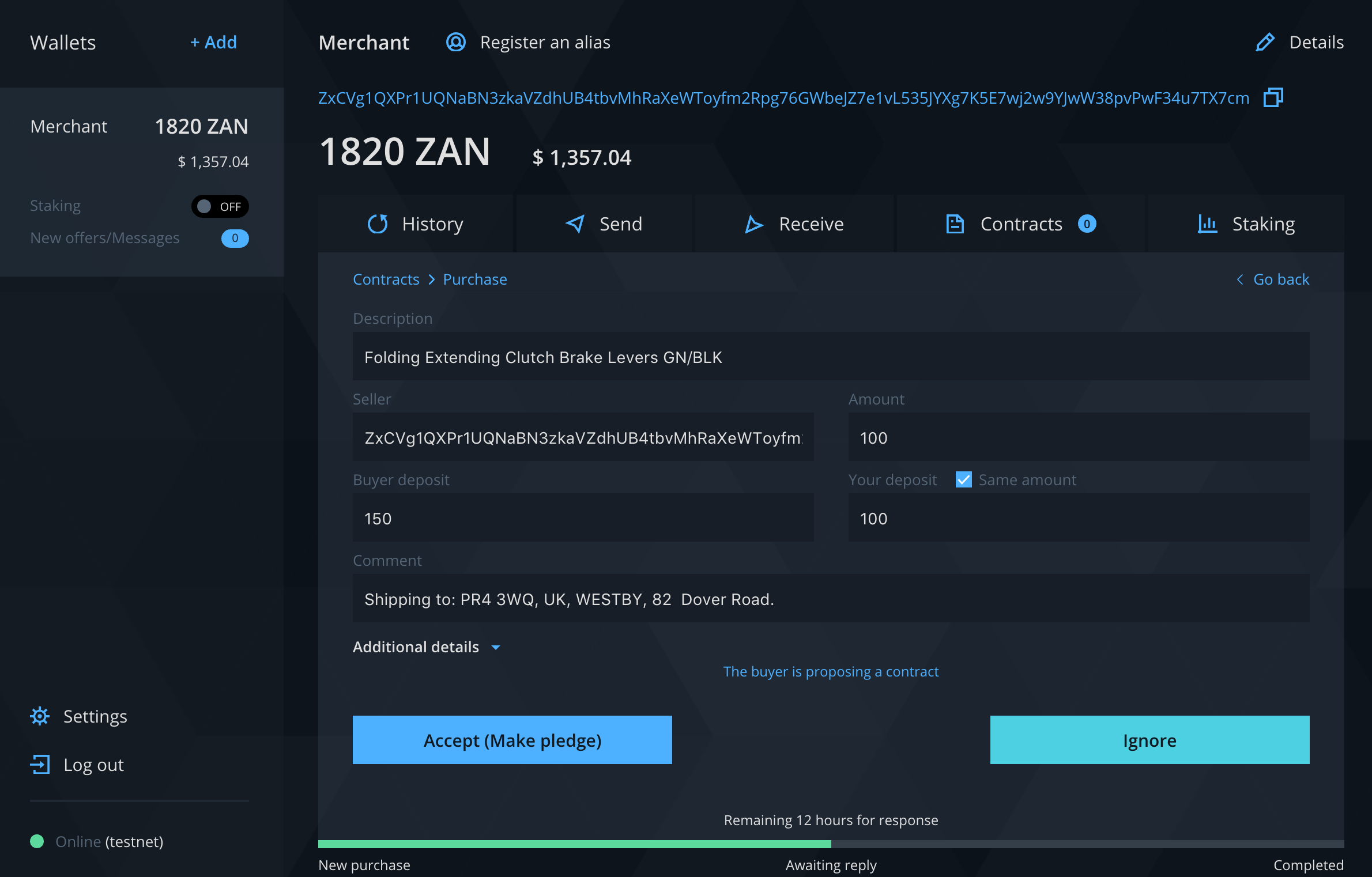
The buyer's contract window then offered three options to continue with: Cancel and return deposits, Terminate and burn deposits and Complete and release deposits.
Cancel and return deposits
The buyer could send a cancellation offer to return both deposits and close the contract. The seller could accept or ignore this offer within a given response time. This option was useful when a deal was mutually canceled.
Terminate and burn deposits
When the parties could not reach mutual agreement, either one could decide to burn the deposits completely and close the contract. In that case the deposits were never returned.
Complete and release deposits
If the buyer was satisfied with the delivery or the provided service, the contract could be closed. Releasing the deposits returned both parties' collateral.